

UNITY & C#
EXPERT DEVELOPER
Making Gusts of Wind in Unity
By Eduardo Martinelli | August 05, 2026
For the past few months I have consistently updated my world generator, adding different simulation layers, for soil, humidity, temperature, and many others.
The last system added was a wind map. Winds that blow around the planet, ricochet off of mountains, and maps wind directions to every tile of the simulation.
Here is your challenge. Watch the video of our current iteration and analyze our newly added wind system:
Did you see it?
Of course not.
Our wind system is nothing but a bunch of numbers clogging our memory. There isn't anything to see yet.
Whenever I'm coding simulations I'm having the time of my life because I really love data.
But at the end of the day, there is no pointing simulating something that no one can see.
Let's change this.
We'll implement gusts of wind, or wind trails. Apart from an aesthetic element it should follow actual wind directions and tile positions.
Caching Wind
When I think of wind blowing a cartoonish depiction comes to mind. A white line that fades in and out, curving through the skies while it follows the path of the wind.
Like the curve you'd get if you traced the path of a leaf blown.
Something like this:
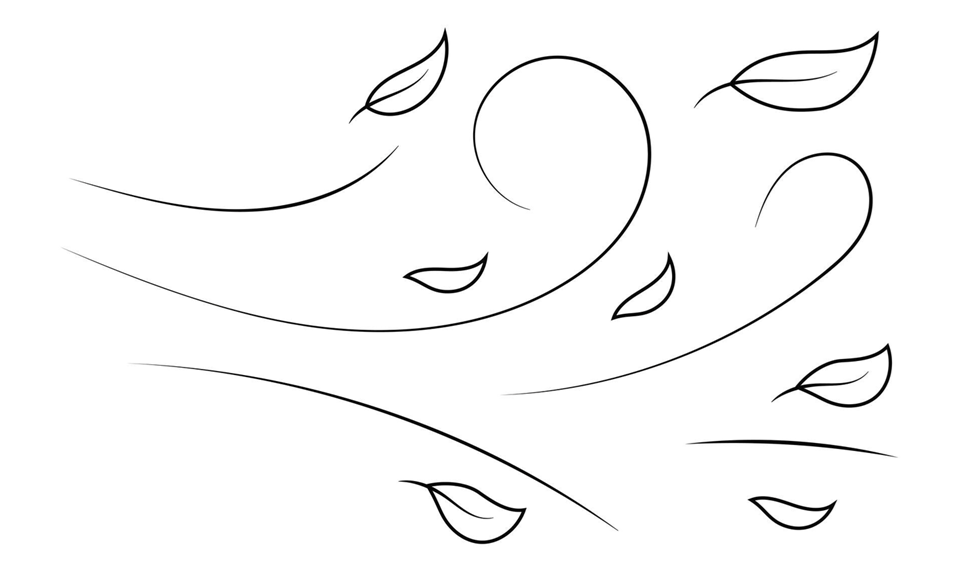
Blowing over the tiles of the simulation.
To contextualize: our planet is made out of tiles; every map such as temperature, wind, humidity has accessible data for each tile; we know the direction and strength wind is blowing at each tile.
So my idea is to select a random tile, and draw a line, a gust of wind, travelling from it to the next, following the wind direction, for a set number of tiles.
Then we can "smooth" it all out using Bézier curves.
To simply start we'll create a line renderer. We'll add a material and tapered ends so it doesn't look blocky.
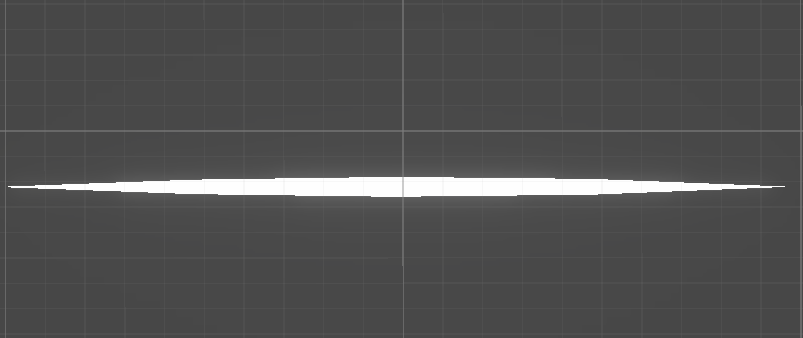
We'll now attach a new script, happily named GustOfWind. It will encapsulate all the behavior of our line.
Our script will only have one method. And we will avoid adding any other functions to it. The wind cannot be manipulated or changed in any form by the player, so there is no point adding a multiple entry points, or methods.
Our method has a few different points in world space as parameters; it should draw the wind trail over them; and handle the color animations. That's it.
For now we won't modify our line just yet. Instead we'll use [ContextMenuItem] to create a test function we can easily trigger in the inspector. And use OnDrawGizmosSelected to draw it.
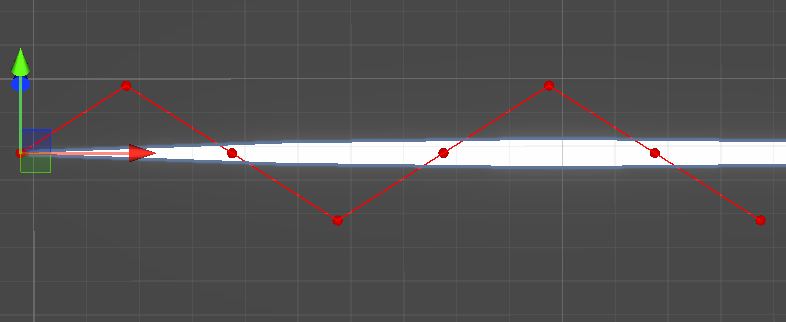
By using Gizmos effectively you certify any data is appropriate for processing before implementing the actual processing system.
Dividing your components between visual and logic, or frontend and backend, is a great way to reduce fail points in your code.
Whenever solving a problem, making a system, visual or logical, it's critical to understand your input data. Then how it should look by the end; your output. So you can finally figure out how to process it.
Now that we certified it works we'll modify the visual element accordingly:
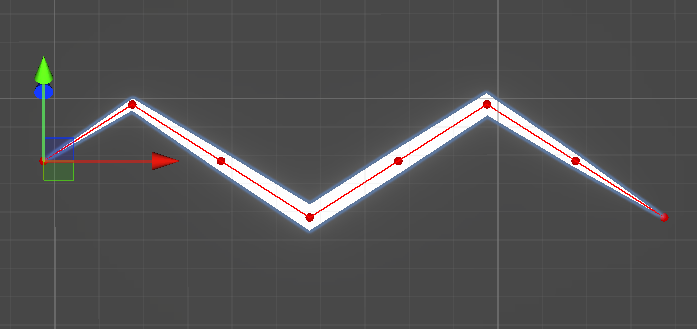
Looks as expected. If this was a post about making procedural lighting strikes we'd be done.
For wind we are still missing those juicy curves.
Bézier Wind
If we analyze our input data we see we have points, or a line.
By mere coincidence (not), our input data matches exactly the kind of input a Bézier curve algorithm requires.
And, luckily, it outputs exactly what we want. A smooth curve between points.
Simply put, a Bézier curve is a smooth curve defined by a sequence of points, control points.
If you ever used a vector graphics tool such as Inkscape you have encountered Bézier curves. More subtly, if you ever built a road in Cities: Skylines you have also seen them.
In this case we'll use a simple implementation of the De Casteljau's algorithm.
A parent function process our point data first, optionally increasing its resolution by adding more points to the original array.
Then our algorithm samples any point on the curve defined by controlPoints given an interpolation value t.
And this is how it looks in editor (in blue):
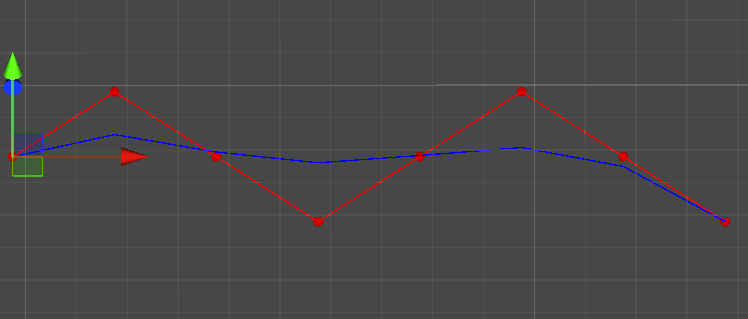
Now by bringing our gust of wind into a test scene we can see what it would look like in-game:

At this point we are ready to move to polishing and deploying this beautiful gust.
Releasing Wind
My initial plan was to have the wind move using the directions in each tile.
But that meant adding a whole movement system for something that is only visual.
To simulate the movement of the wind we can simply apply a moving gradient. All white, fading out on both ends.
We start off at the end of the gradient, fully transparent. Then we move this gradient across our line. Implying movement without requiring actual manipulation of our line positions.
Now we have a single wind gust.
It molds its shape across a sequence of points and automatically fades in and out.
Now we just need something to pool it, and activate each gust on a determined position.
We use a simple traversal algorithm to find a sensible path for each gust.
And after hooking up all of this we finally have some movement in our planet!
Our planet generator is slowly coming to life and I cannot wait to work on the other systems.
Adding small details like this is what makes a simulation memorable.
Thank you for reaching the end of the post. Hope this was a nice break from more theoretical coding topics.
Ultimately, I just wanted to share with you some eye candy.
And that's all, for now.